
Foldsquare April 2026: faster PDF generation, bulk layouts & conditional formatting
April was a busy month for Foldsquare. We sped up PDF generation considerably, made the editor easier to work with at scale, and fixed a handful of stubborn issues. Here’s everything that landed.
New features
Bulk layout changes
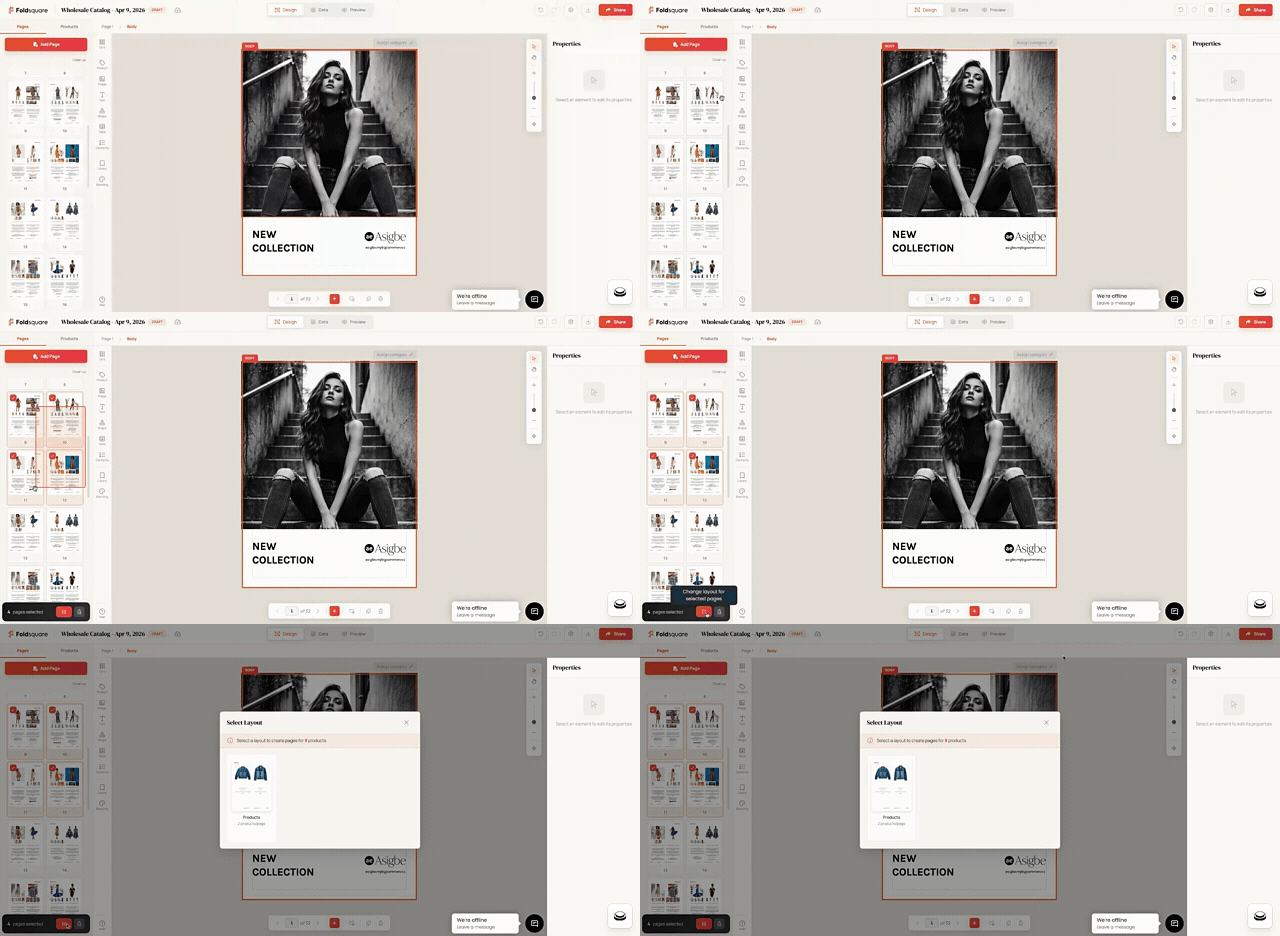
You can now select multiple catalog pages and apply a new layout to all of them at once. A bottom action bar appears as soon as you select pages, with the layout picker built in. Useful when you’re cleaning up a large catalog or rolling out a new section style.
Product weight fields
Weight and weight unit are now part of the product details.
Per-field conditional formatting
The rich text editor now supports conditional formatting on individual fields. You can have a price display in red when an item is on sale, hide the SKU when it’s empty, or restyle the description block depending on product type. The rules live with the field, not the whole text block, which keeps things flexible.
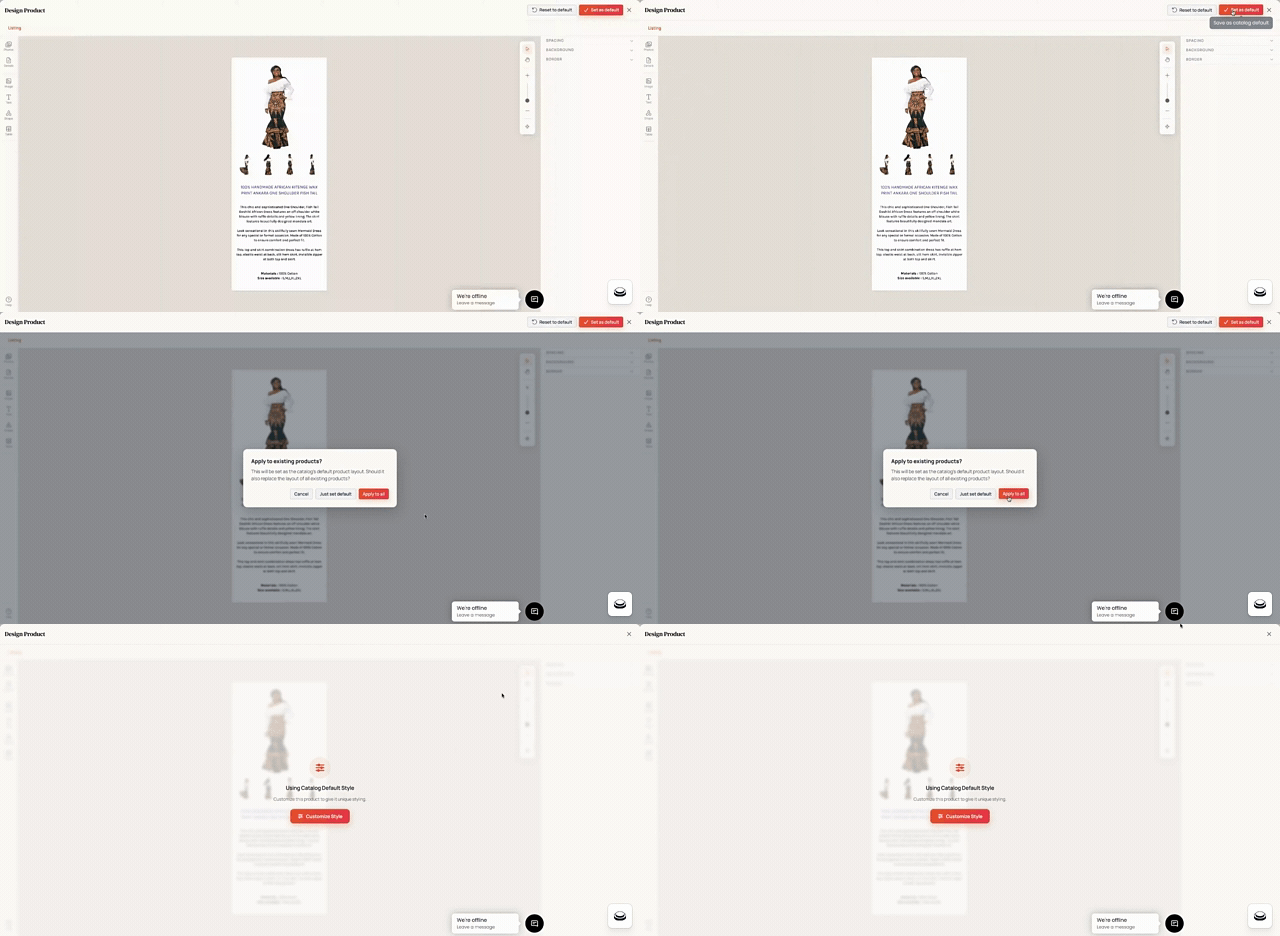
Apply default catalog style to all existing products
There’s now an “apply to all” option that pushes your chosen default style across the catalog in one click.
Profile avatar menu
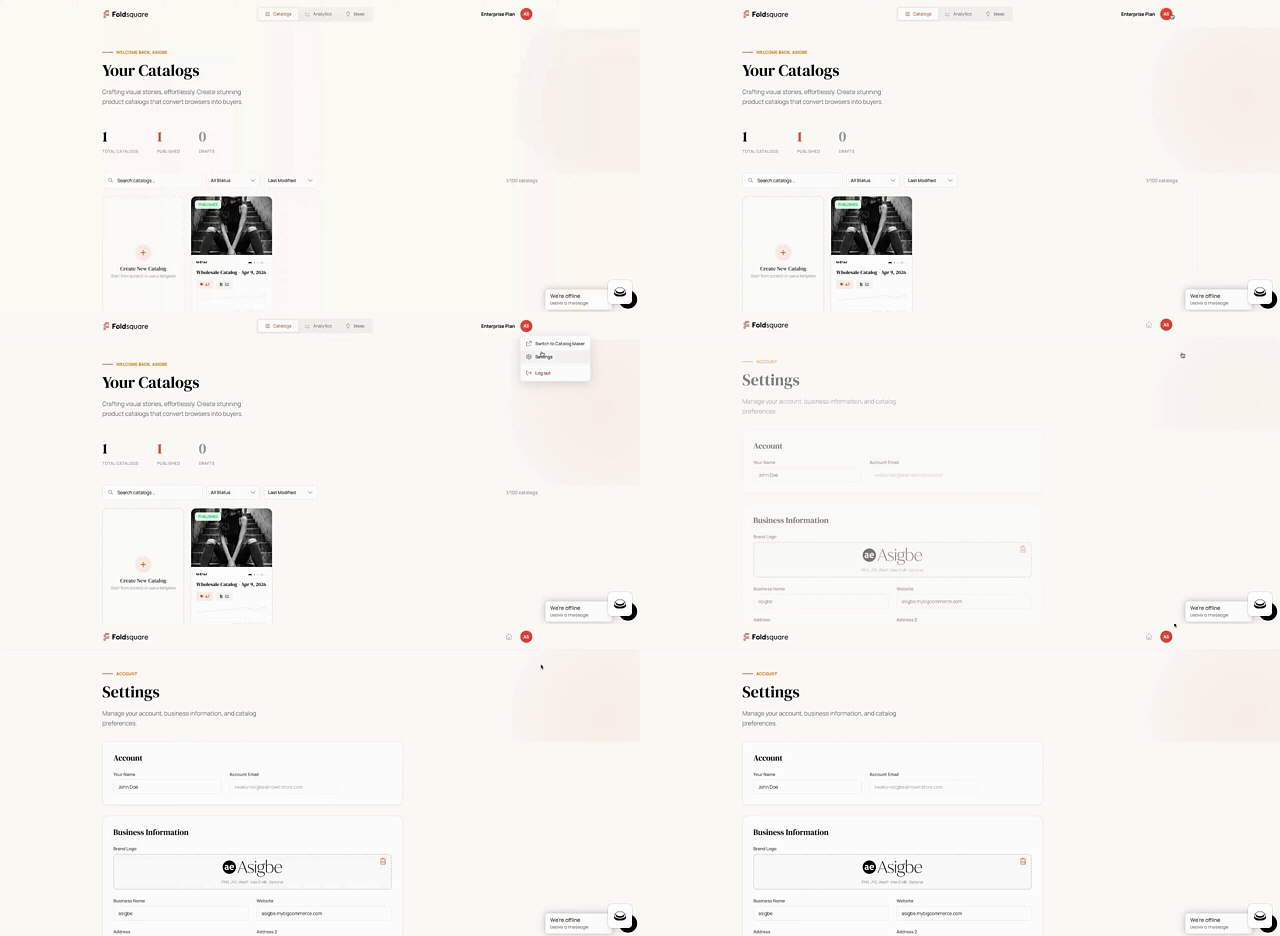
The top navigation has a new profile avatar with a popover menu. Account settings and logout live there now, which cleans up the rest of the navigation.
Live chat in the app
We’ve added Zoho SalesIQ chat directly inside Foldsquare. If you hit a wall or have a question while you’re in the editor, you can reach support without leaving the app.
Improvements
Faster PDF generation
PDF rendering is substantially faster now. Under the hood: parallel compression, asynchronous thumbnails, smarter page merging, and a bigger renderer instance for large jobs. For most catalogs this means publishes complete in noticeably less time. For very large catalogs, the difference is significant.
Smaller, sharper catalogs
We now compress images more aggressively, which significantly shrinks the generated PDF catalog without visible quality loss.
Editor polish
Several small editor improvements: a tighter product list layout, refined favorites and pages tabs, a restyled layout picker button. Individually small, collectively it brings a noticeably calmer editing experience.
Larger catalog support
We’ve raised the upload limit so saving very large catalogs no longer fails.
Fixes
- Logout now properly clears the session cookie in the browser.
- The “Remove product” action works as expected.
What’s next
We’re still focusing on improving the user experience during the beta with a focus on the bulk editor and making the customization of product information more pleasant and user-friendly.
Update: the next roundup is out — everything that shipped between May and August 2026, including Spanish and French, sale badges and another round of speed work.
If you’re not on Foldsquare yet and your catalog work is stuck in InDesign or spreadsheets, get access to Foldsquare beta by installing the legacy Catalog Maker.
Try the new features on Foldsquare — plans start free.